Works on your Mac · Shows you the proof
Private AI for files that can't go to the cloud
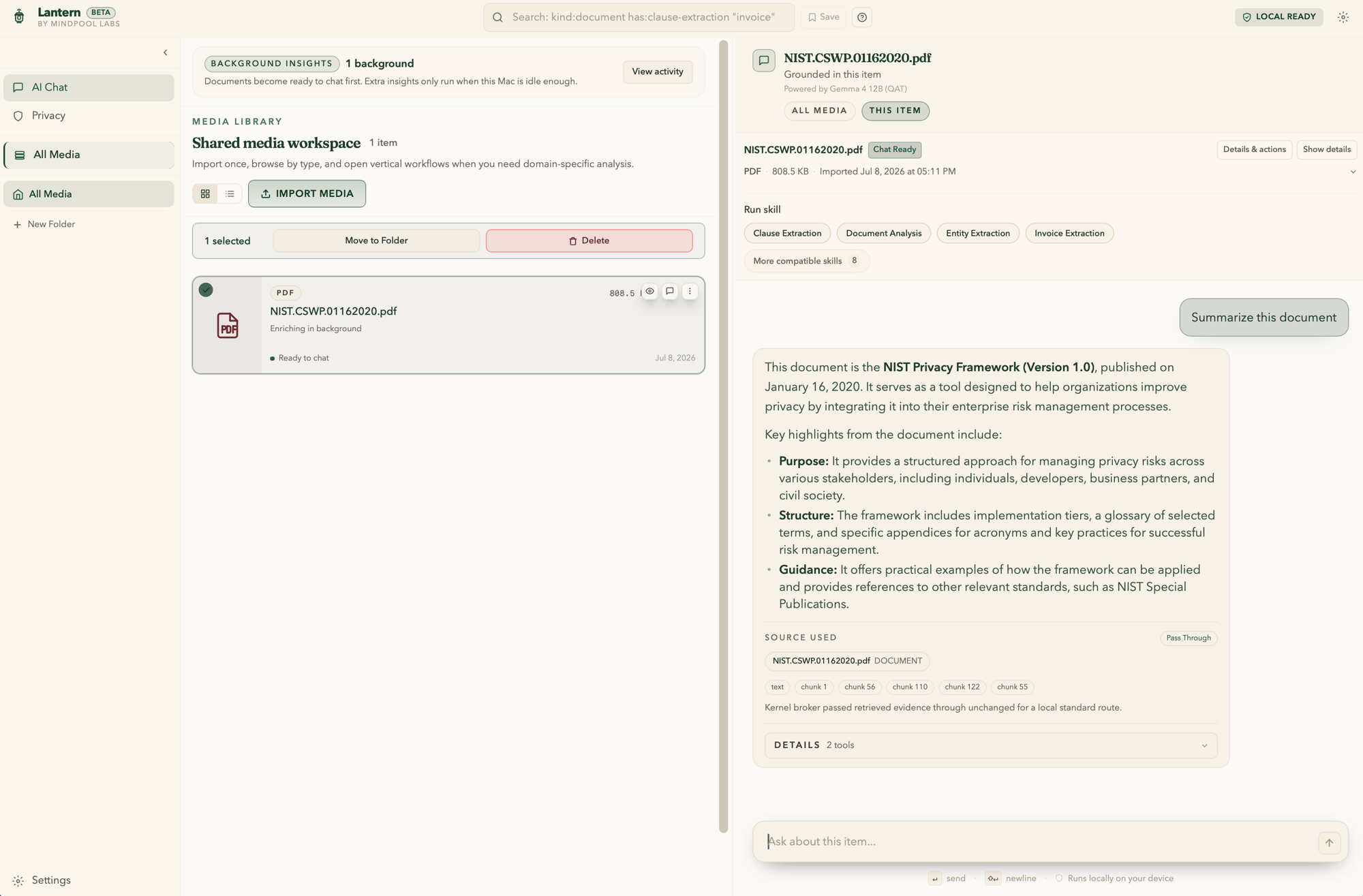
Lantern answers questions about contracts, statements, scans, and photos of paperwork right on your Mac — no upload required. Every answer points back to its source, and you can see for yourself where the work ran.
Some files were never meant for the cloud.
A contract covered by privilege. A client's financial statements. Notes that could expose a source. The documents that need AI most are the ones you can't paste into a chatbot — and a privacy policy is still just a promise. Lantern works on the file where it already lives: on your computer.
Privacy you can check, not just believe.
Your files stay with you
Work with PDFs, statements, scans, and photos of paperwork on your Mac. Nothing goes to the cloud unless you explicitly say so.
Answers that show their sources
Every answer links back to the page it came from, so you can check it before you rely on it.
A record you can inspect
Every request runs through Lantern's privacy kernel — a built-in gatekeeper that keeps work on your Mac by default and logs what the app did and what touched the network. Open the log anytime, and verify it hasn't been altered.
How it works
- 01
Pick your AI
Download an AI model to your Mac and choose it in Lantern. Lantern confirms everything is ready before you start.
- 02
Add a file and ask
Drop in a contract, statement, scan, or photo and ask your question in plain English.
- 03
Check the work
Open the source behind any answer and see exactly where the work ran — without leaving the app.
Why not another AI app?
“Local” tells you where a product says the work happens. Lantern also lets you check.
- Cloud AI tools
- You upload the file and trust a contract.
- Local AI tools
- You trust a claim — or read the source code to verify it.
- Lantern
- The work stays on your Mac by default, and the evidence — sources, routes, network activity, a tamper-evident log — is one click away.
For work you're responsible for keeping confidential
Legal
Review privileged agreements and case files without uploading a single page.
Finance
Ask questions across client statements and contracts that stay on your Mac.
Research & journalism
Work through interview notes and source files too sensitive to upload.
Small business
Search sensitive records — payroll, customer files, leases — without handing them to an AI service.
Try Lantern on one document you would not upload.
Download the free public beta for macOS 12 or later — stable enough for daily use, with features still evolving.
Lantern, formerly DocuRevive.